
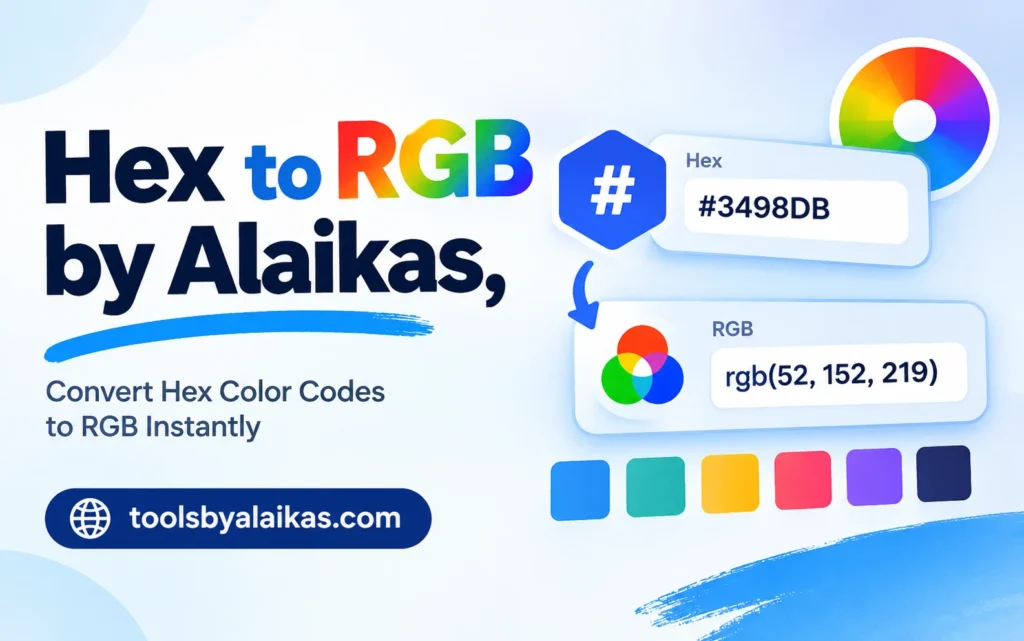
Hex to Rgb by Alaikas is a quick way to turn a six-character color code like #FF5733 into three plain numbers: 255, 87, and 51.
Ever copied a color code from a design file and had no idea what to do with it? I have been there. A client sends “#1E90FF” and your tool wants three numbers. Annoying, right?
Good news. Hex to Rgb by Alaikas fixes that in seconds. In this article, we will chat about what the codes mean, how the conversion works, and how to avoid the slips I see most often. Grab a coffee. This will be painless.
Quick Facts Table
| Detail | What You Need to Know |
|---|---|
| Topic | Hex to Rgb by Alaikas |
| What you type in | A color code like #FF5733 |
| What you get back | Three numbers from 0 to 255 |
| Best for | Bloggers, designers, students, marketers |
| Cost | [Verify on the tool page] |
| Sign-up needed | [Verify on the tool page] |
| Time to convert | A few seconds |
What Is a Hex Color Code?
A hex code is a short name for a color. It starts with a # sign and has six letters or numbers after it. Think of it like a house address, but for a shade.
Take #FF5733. It looks like gibberish, but it simply points to a bright orange-red.
What Is RGB?
RGB stands for red, green, and blue. Screens mix these three colors in different amounts to make every shade you see. Each color gets a number from 0 to 255.
- 0 means none of that color.
- 255 means the most of that color.
So 255, 0, 0 is pure red. Easy.
How Hex to Rgb by Alaikas Works
Here is the neat part. A hex code is just RGB in disguise. The six characters are three pairs:
- First pair = red
- Second pair = green
- Third pair = blue
Hex to Rgb by Alaikas reads each pair and turns it into a number. You do not need to do any math.
The 5 Easy Steps
- Copy your color code, such as
#FF5733. - Open the converter and paste it in.
- Check that the code has six characters after the # sign.
- Press the convert button.
- Copy the three numbers it gives you.
That is it. Five steps, about ten seconds.
Want to Do It by Hand? Here Is the Trick
Sometimes you are offline or just curious. Here is the simple way.
Each pair has two characters. Multiply the first by 16, then add the second. Letters count as numbers: A = 10, B = 11, C = 12, D = 13, E = 14, F = 15.
Try FF: F is 15, so 15 × 16 = 240, plus 15 = 255.
| Hex Code | Red | Green | Blue | Color You See |
|---|---|---|---|---|
#FF5733 |
255 | 87 | 51 | Orange-red |
#1E90FF |
30 | 144 | 255 | Bright blue |
#FFD700 |
255 | 215 | 0 | Gold |
#008080 |
0 | 128 | 128 | Teal |
#000000 |
0 | 0 | 0 | Black |
#FFFFFF |
255 | 255 | 255 | White |
A Short Story: The Wrong Blue
Here is a story I see all the time. A small bakery owner picks a lovely blue for her logo. Her designer gives her the code. She types it into her website builder, but the builder wants RGB numbers. She guesses. The blue on her site ends up looking like a faded denim jacket.
One quick run through Hex to Rgb by Alaikas and her colors matched everywhere. Menu, website, Instagram. Same blue. Her customers noticed the polish, even if they could not say why.
Small fixes, big difference.
Why Use Hex to Rgb by Alaikas?
Let me answer the question you are probably asking: “Why not just guess or use any tool?”
- Speed: You get numbers in seconds.
- Accuracy: No mental math, no slips.
- Consistency: Your brand color stays the same across tools.
- Ease: No design degree needed.
If you use a converter often, Hex to Rgb by Alaikas is worth bookmarking.
5 Mistakes to Avoid
Here are the errors I see most often, ranked from most to least common. This ranking comes from my own experience working with client color files, not a formal study.
| Rank | Mistake | Quick Fix |
|---|---|---|
| 1 | Leaving out a character | Count six characters after the # sign |
| 2 | Mixing up the letter O and the number 0 | Hex codes only use 0 to 9 and A to F |
| 3 | Typing the # sign twice | Use just one |
| 4 | Using a 3-character code wrongly | Double each character, so #F60 becomes #FF6600 |
| 5 | Forgetting to double-check the result | Compare the new color side by side with the old one |
What About Short Codes?
Some codes have only three characters, like #0AF. These are shortcuts. Each character is doubled. So #0AF means #00AAFF. Most tools handle this, but check that Hex to Rgb by Alaikas accepts short codes before you rely on it.
Tips to Get Better Results
Here are a few habits that make your life easier.
Keep a color list. Write your brand colors in both formats and save them in one note. You will thank yourself later.
Test on two screens. Colors can look a little different on a phone and a laptop. Check both.
Use the numbers where needed. Many design tools, email builders, and slide apps ask for RGB. With Hex to Rgb by Alaikas, you can paste in the right numbers without guessing.
Check contrast. Light text on a light background is hard to read. Pick colors with strong contrast so everyone can read your content.
Who Benefits Most?
- Bloggers: Match your site theme to your logo.
- Students: Finish design homework faster.
- Marketers: Keep ads and posts on-brand.
- Small business owners: Look polished without hiring help.
- Writers and guest contributors: Understand color terms when you work with design teams.
Honestly, anyone who has seen a hex code and frozen will find Hex to Rgb by Alaikas handy.
Conclusion
Let us wrap it up. A hex code is just three pairs of characters. Each pair becomes a number from 0 to 255. Together, those numbers tell your screen exactly which color to show.
You can do the math by hand, but Hex to Rgb by Alaikas does it in seconds and keeps you free from slips. Copy the code, paste it in, press convert, and you are done.
Next time a color code lands in your inbox, you will know exactly what to do. No panic. No guessing.
FAQs
1. What does Hex to Rgb by Alaikas do?
It turns a six-character hex color code into three RGB numbers. You paste the code in and get red, green, and blue values back.
2. Is Hex to Rgb by Alaikas free to use?
That depends on the tool’s current plan.
3. Do I need to type the # sign?
Most converters accept codes with or without it. Try both if one does not work.
4. Why are RGB numbers limited to 255?
Each color uses a small amount of space on your screen, which allows 256 steps from 0 to 255. That is plenty to make millions of shades.
5. Will the color look the same on every screen?
Close, but not always identical. Screens vary in brightness and settings. Check on more than one device.
6. Can I convert RGB back to hex?
Yes. The process works both ways. Many converters offer both options in one place.
7. What if my hex code has only three characters?
Double each character. #0AF becomes #00AAFF, then convert as usual.
Thank you for reading
- Furtherbusiness Com: What It Is, Whether It’s Safe, and How to Judge It in 2026
- Rankmyposts Com Review 2026: Guest Post Metrics, Cost & Risks
- Veganizoo Guest Posting: Is It Worth It in 2026?
- Bralad.com Review 2026: Is It Safe to Trust?
Find the latest Antutu rankings and benchmark results in one place on The Antutu Score.